Why is AWS Complicated for Devs? Understanding Major Factors
- Updated:
- 13 min read
Amazon Web Services (AWS) has become a go-to cloud solution for startups and scaleups, offering a broad platform of integrated services. Yet, for many users, the experience of deploying and managing AWS is far from straightforward. A look into discussion forums like Reddit and Hacker News reveals a common thread: developers find themselves wrestling with the complexity of AWS configurations, expressing frustration over the steep learning curve.
And the challenge with AWS is not limited to its intricate setup. Cost management presents another hurdle; the service’s pricing structure can be confusing, which can lead to bill shock. Read on for an examination of the factors that make AWS complicated and best practices for simplifying its use.
Key takeaways:
-
AWS is a hyperscaler cloud platform with an ecosystem of over 260 services, but its seemingly unintuitive interface and fragmented documentation can create a steep learning curve that can lead to complexity fatigue for developers.
-
The platform’s usage-based pricing structure and not so clear fees, such as data egress and idle resource charges, can result in unexpected bill shock for businesses without dedicated cost-management teams.
-
Teams committed to AWS can simplify operations by starting small with core services, using solutions such as Terraform to automate infrastructure, and conducting regular cost audits to identify and eliminate waste.
-
DigitalOcean provides a streamlined alternative for startups and digital-native enterprises, offering predictable pricing, free basic customer support, and an intuitive control panel that reduces the need for expensive cloud certifications and a dedicated cloud operations team.
Looking to escape the complexity of AWS and scale your AI projects faster?
DigitalOcean provides a user-friendly alternative for developers who want to spend their time building, not managing infrastructure. Experience the power of AI and machine learning with DigitalOcean Gradient™ AI GPU Droplets. Leverage high-performance NVIDIA H100, H200, RTX 6000 Ada, and L40S GPUs, or the AMD MI300X, to accelerate your deep learning projects and compute-intensive tasks.
Sign up today to access DigitalOcean Gradient™ AI GPU Droplets and start scaling your AI projects on demand without the complexity.
What is AWS?
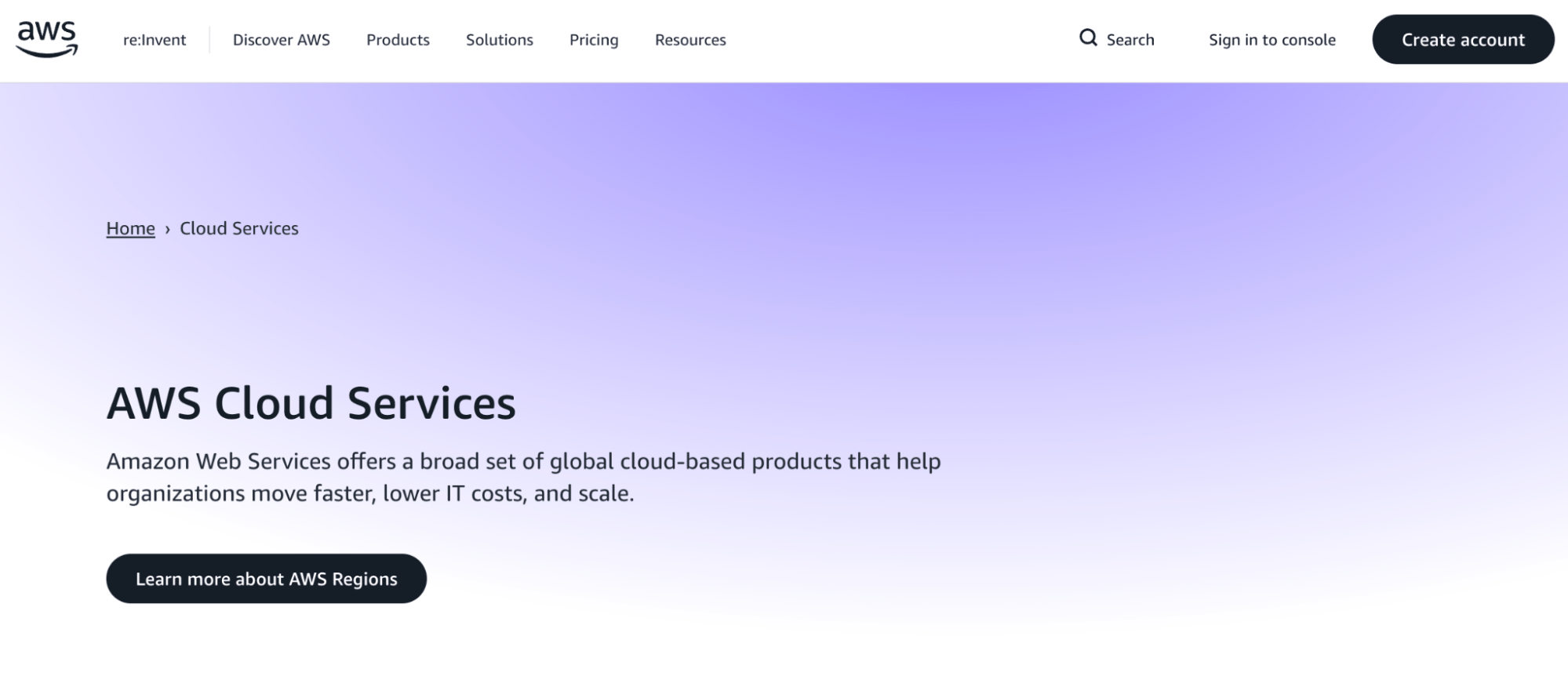
Amazon Web Services (AWS) is a hyperscaler cloud computing platform that provides on-demand infrastructure and platform services across compute, storage, networking, databases, and application management. Launched in 2006, AWS was an early public cloud provider and has expanded into a broad portfolio designed to support many workload types and architectural approaches. The platform is organized around a large number of independently configured services rather than a single, tightly integrated environment. AWS operates a global infrastructure footprint with multiple regions and availability zones. This breadth supports customized deployments but also increases operational and management complexity.
AWS key features:
-
Hundreds of discrete cloud services spanning infrastructure, platform, data, security, and application tooling.
-
Fine-grained configuration of compute, networking, and security resources through services such as EC2 and VPC.
-
Global deployment across multiple regions and availability zones for redundancy and geographic distribution.
AWS pricing:
- Usage-based pricing across individual services and resource types. Costs vary by region, configuration, and consumption patterns. Most deployments incur charges across multiple services simultaneously, so spend management typically requires ongoing cloud monitoring and optimization.
Hyperscalers like AWS, Azure, and GCP aren’t your only path to the cloud. While these giants offer massive scale, they often require dedicated teams and advanced certifications just to manage basic infrastructure. For a more developer-friendly approach, compare the “Big Three” against specialized providers like DigitalOcean to see how streamlined tools and predictable pricing can help you ship faster.
Factors that can make AWS complicated
The power and scale of AWS result in complexity that can overwhelm even experienced developers. To better grasp these challenges, let’s explore the core factors that complicate AWS use:
An extensive ecosystem of products
AWS’s many products make the platform more complex. Businesses must navigate a maze of over 260 services, each with its own set of features, configurations, use cases, and pricing models. For instance, selecting the right type of compute service from options like EC2, Lambda, or ECS requires a nuanced understanding of the workload requirements. The continuous rollout of new features and services further complicates the mastery of the platform, as IT professionals must constantly learn and adapt—in some cases necessitating a need for cloud certifications and dedicated staff to manage an organization’s AWS infrastructure.
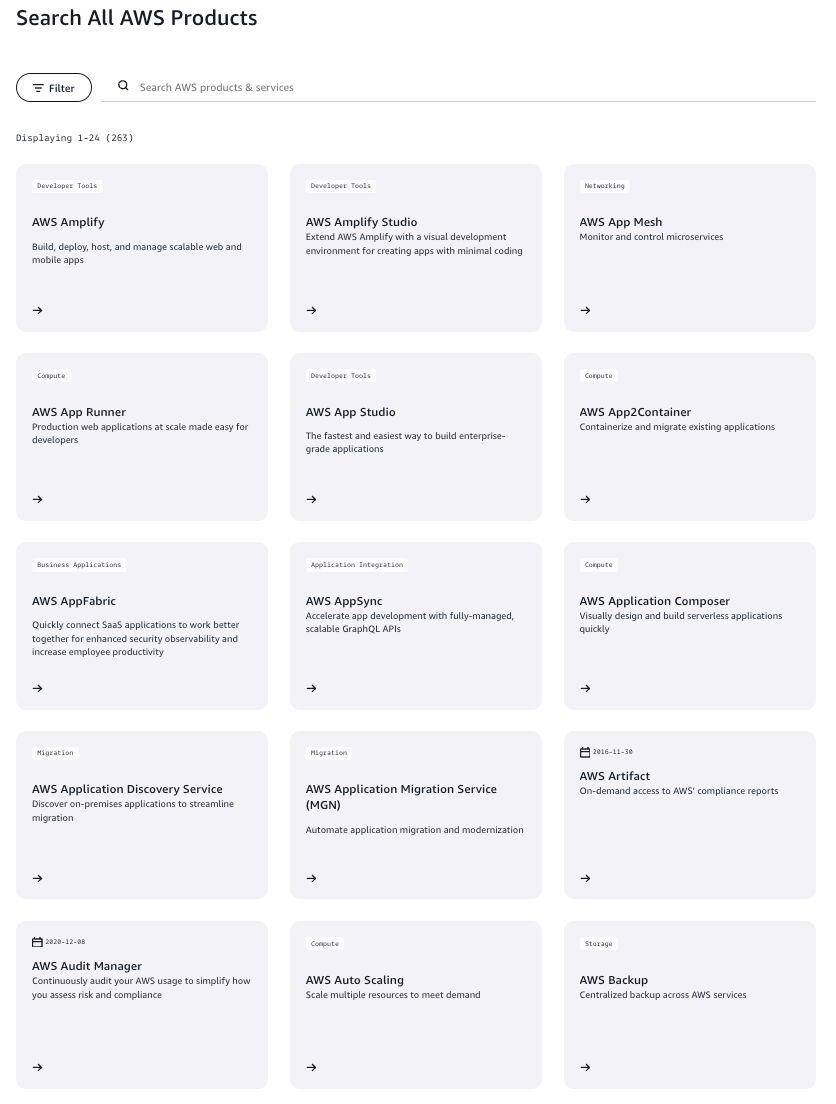
The challenge extends to integrating these services into a cohesive cloud architecture that delivers a clear cloud ROI. The wrong combination can lead to inefficiencies or reduced performance. At worst, this underlying complexity also affects AWS’s internal operations when it comes to a speedy recovery from an outage.
DigitalOcean customer NoBid processes roughly 200 billion auctions per month, and migrated from AWS to leverage DigitalOcean’s Kubernetes (DOKS) and VPC networking to gain better control over their containerized architecture without the hyperscaler tax.
Unintuitive user interface
The user interface of AWS has garnered criticism for its lack of intuitiveness. Users frequently describe the web console as cumbersome, hindering efficient navigation and management of the extensive suite of AWS services. This complexity is compounded by the fact that AWS offers multiple redundant methods to accomplish even simple tasks, leading to a lack of standardization that can confuse both new and experienced users. For example, deploying a containerized application alone can be done through ECS, EKS, Fargate, App Runner, or Lambda—each with different trade-offs, pricing models, and learning curves.
This variability in usage can steepen the learning curve, making the initial stages of AWS adoption daunting, not to mention ongoing maintenance, including effective cloud cost management.
Plan to Eat is a meal-planning app that moved from AWS in search of a more approachable infrastructure provider. They found AWS’s vast array of services overwhelming and preferred DigitalOcean’s simplified developer experience.
AWS documentation
AWS documentation, intended to be a comprehensive resource for users, often contributes to the platform’s complexity. The sheer volume of available documentation can be overwhelming, with users frequently reporting the need to juggle multiple tabs to piece together a satisfying answer.
Additionally, the pace at which AWS evolves can make documentation quickly outdated. This leaves users with guides that no longer reflect the current state of services in terms of the most current naming mechanism or user interface elements that correspond to provided screenshots. Furthermore, users have raised concerns about tools and services becoming deprecated (such as Cloud9 IDE, CodeCatalyst, and S3 Select), but their documentation lingers without completely addressing the state of affairs. This lack of structured, up-to-date information forces users to continuously verify the relevance of tutorials and instructions.
AWS support
AWS provides a tiered support structure, with options ranging from the free Basic plan to the premium Enterprise level, each with varying degrees of access and response times. The Basic plan offers limited help, covering only billing and account inquiries. For more extensive support, users must opt for paid plans, which align their costs with cloud expenditure, presenting a potentially steep financial commitment for digital native enterprises and startups.
These costs, combined with the absence of a specific AWS support response time service level agreement (SLA), can lead to prolonged wait times, particularly for users of lower-tier plans.
AWS pricing structure
Understanding the cost structure of AWS can be daunting. You won’t have to look hard to find online anecdotes about such surprises, prompting a niche for consultancies specializing in AWS billing clarification—in addition to AWS itself capitalizing on the opportunity with its own Professional Services arm.
AWS egress charges for data transfers outside AWS or across regions contribute to the complexity and can quickly add up. Users must carefully architect their systems, considering factors like region selection and service usage, to mitigate these costs. Additionally, overlooked charges from idle resources, like EC2 instances, or orphaned snapshots in storage, can accumulate.
Other AWS seemingly hidden costs to look out for include hourly NAT Gateway fees and charges for EBS storage and Elastic IPs that persist even after you’ve stopped your instances. Even basic visibility through CloudWatch logs or routine API requests can inflate your invoice, while technical support is pay-to-play, starting at $29 per month.
Confused by surprise charges and hard-to-decode cloud invoices? Complex pricing models are a big reason many teams struggle with AWS. Learn how to understand your cloud bill—and what predictable pricing should actually look like.
Best practices for simplifying AWS
Despite its complexity—and a growing list of alternatives—AWS may still be the right choice for your team, whether due to specific service requirements, existing infrastructure, or enterprise partnerships. If you’re committed to the platform, the goal becomes making it work for you rather than against you. Here’s how to get the most out of AWS:
Start small
Approaching AWS with an incremental strategy will simplify your cloud adoption process. Initially, focus on deploying a core application or workload on a single service such as Amazon EC2. This starting point enables your business to focus on the essentials—instance configuration, security measures, and basic network setups—without the immediate concern for broader infrastructure complexities.
As your comfort with EC2 grows, your business can opt to extend its cloud reach. Integrating additional services, such as AWS Lambda for event-driven tasks or Amazon S3 for scalable storage, becomes the next phase. This deliberate, stepwise expansion eases the learning curve and maintains clear oversight of costs and system architecture.
Use third-party automation solutions to help streamline AWS infrastructure
Many developers suggest using third parties such as Terraform to simplify working with AWS. Terraform automates and codifies the provisioning of AWS infrastructure, allowing developers to deploy and manage cloud services efficiently. The infrastructure-as-code approach helps to ensure all resources are version-controlled and changes are easily tracked and reversible. This reduces manual effort and the potential for human error, leading to more consistent and predictable deployments.
The tool’s ability to manage multi-cloud environments and parallelize the creation of resources expedites development, providing a clear overview of infrastructure changes before they are applied.
Seek third-party community resources
Because official AWS documentation is often written for those who already understand the ecosystem, community-driven resources are essential for “translating” jargon into plain English.
-
Informal guides & newsletters: Resources like Last Week in AWS or The Cloudcast provide high-level context that helps developers understand not just how a service works, but why they should (or shouldn’t) use it.
-
Independent course platforms: Platforms such as A Cloud Guru, Cloud Academy, and Udemy offer practical, lab-based learning. These courses often focus on “real-world” scenarios—such as connecting an S3 bucket to a specific app framework—which are often more digestible than the abstract architecture diagrams found in official whitepapers.
-
Community forums: Engaging with r/AWS or Stack Overflow allows developers to see how others have solved AWS issues in real-time.
Pursue formal certification and structured training
While third-party resources are great for quick troubleshooting, formal training programs provide a top-down map of the AWS landscape. This helps developers move from “knowing a few services” to understanding how the entire ecosystem fits together.
-
Official AWS learning paths: The official AWS Certification program (ranging from Cloud Practitioner to DevOps Engineer Professional) forces a standardized understanding of AWS’s global infrastructure. This structured approach helps eliminate blind spots that lead to security misconfigurations or inefficient resource tagging.
-
Enterprise-grade training: For startups, investing in AWS Skill Builder or official classroom training can be a strategic move. It ensures that every team member is using the same naming conventions and architectural best practices, which reduces the internal friction often caused by AWS’s complex interface.
-
Skills validation: Beyond just learning, certifications provide a benchmark for hiring and team scaling. A certified expert possesses a comprehensive mental map of the AWS console, allowing them to bypass the typical documentation maze and execute complex configurations with greater speed and precision.
Conduct regular AWS cost audits
As your organization scales, manual oversight is rarely enough to prevent expenses from spiraling. As a result, it’s necessary to conduct regular audits to identify cost drivers and opportunities for optimization, such as:
-
Locating and terminating idle resources: Analyze your connected services for resources that are running but not being used, such as idle EC2 instances, which continue to incur charges until they are officially shut down. Similarly, check for idle Relational Database Service (RDS) instances and unattached Elastic IP addresses that add unnecessary daily costs.
-
Analyzing complex egress fees: Scrutinize your data transfer costs. AWS pricing for outbound data (egress) is notoriously complex and can vary significantly depending on whether data is moving between regions, availability zones, or out to the internet.
-
Right-sizing infrastructure: Use tools like AWS Compute Optimizer to compare your provisioned capacity against actual peak demand. Regular audits help you identify always-on high-performance instances that could be downgraded to more cost-effective tiers without impacting performance.
Ride-sharing company Picap migrated its workloads from AWS and Heroku to DigitalOcean’s App Platform and Managed Databases, citing complexity fatigue with AWS and the ability to manage 70+ applications with a single DevOps engineer. The result? Reducing their monthly cloud spend by 75%, from $120,000 to $30,000.
DigitalOcean vs AWS
With a slew of AWS alternatives on the market, DigitalOcean stands out as a top cloud contender for digital-native enterprises and AI startups looking for robust cloud computing solutions, without the complexity.
Here’s how DigitalOcean vs AWS compare:
-
Documentation: DigitalOcean builds and ships new features with developer end-users as the main focus, supporting them with extensive documentation and thousands of helpful tutorials. In contrast, official AWS documentation is often described as fragmented and can quickly become outdated as the platform evolves.
-
Support: Specialized providers like DigitalOcean cater to users of all sizes, from AI startups to digital-native enterprises, with free customer support available for all customers, and premium dedicated assistance at a predictable fixed monthly rate—a more predictable and budget-friendly alternative compared to AWS, which charges a percentage of spend for paid customer support tiers. On AWS’s highest tier support plan (Unified Operations), this can add up to 10% of cloud charges, up to $1M. DigitalOcean’s highest tier support plan, Premium, costs $999/month by comparison.
-
Migration: Using DigitalOcean infrastructure helps you avoid vendor lock-in (and migration headaches) by using compatible products, like our AWS S3-compatible storage solution, Spaces. DigitalOcean also offers [free cloud migration](https://www.digitalocean.com/migrate assistance for businesses moving from AWS, providing technical architects to help map AWS services to DigitalOcean equivalents.
-
Pricing: DigitalOcean has established a reputation for transparent and predictable cloud infrastructure pricing. Notably, compared to AWS’s hidden fees associated with egress costs, we charge a transparent entry rate of $0.01 per GB for all data transfer types over inclusions.
If AWS feels like it takes a map (and a billing detective) to get from “repo” to “running app,” this short webinar shows a simpler path. DigitalOcean App Platform deploys directly from Git, wires up a managed Postgres database, and makes day-two ops (logs, rollbacks, autoscaling, and dedicated egress IPs) available from the same workflow—so developers can focus on shipping instead of stitching services together.
Why is AWS complicated? FAQs
Is AWS difficult to learn? AWS has a steep learning curve due to its extensive ecosystem of over 260 discrete services. While beginners can start with core services like EC2 or S3, the platform’s unintuitive interface often requires a deep understanding of cloud architecture and specialized knowledge to manage effectively.
How complex is AWS?
AWS is notoriously complex, even for experienced developers. The platform offers over 260 services, many with overlapping functionality; fragmented documentation makes it difficult to determine the right approach for common tasks. The management console is dense and unintuitive, and the usage-based pricing structure is opaque enough that unexpected ‘bill shock’ is a common experience—even for teams actively trying to manage costs.
Who is AWS’s biggest competitor?
While hyperscalers like Microsoft Azure and Google Cloud Platform are primary competitors, DigitalOcean is a top contender for digital-native enterprises and AI startups. DigitalOcean provides a simpler alternative with transparent pricing and free customer support, contrasting with the high-overhead management required by AWS.
Is AWS too complicated for a small team?
For small teams without dedicated DevOps staff, AWS can be overwhelming because it requires a nuanced understanding of hundreds of service configurations. Smaller teams often find that the time spent managing complex infrastructure detracts from building their core products, making specialized platforms like DigitalOcean more attractive.
Which cloud service is most beginner-friendly?
DigitalOcean is widely regarded as a beginner-friendly option because it offers a streamlined, intuitive control panel and a simplified set of integrated products. Unlike AWS, it focuses on a developer-loved experience that does not require advanced certifications to navigate or manage.
DigitalOcean: A Simple AWS Alternative for Businesses
EGLogics, a global web and digital marketing agency, made the cloud migration from AWS to DigitalOcean after facing challenges with other cloud platforms.
“Comparing Google Cloud or AWS with DigitalOcean, anybody can easily tell how simple it is to use in comparison. With DigitalOcean we barely see issues. If there is an issue, it is easy to handle. We don’t have to invest a lot of resources, we don’t need 2-3 server admins. We know that our developers can handle things easily.” — Ankit Aggarwal, CEO and CTO of EGLogics
They found a reliable cloud platform that provided both simplicity and cost-savings, a contrast from the complexity they experienced with AWS.
“By switching from AWS to DigitalOcean we reduced our costs by 50%. We achieved the ease of use and speed of launch and delivery we were looking for.” — Ankit Aggarwal, CEO and CTO of EGLogics
Amidst the landscape of complex cloud services, DigitalOcean offers simplicity for your business:
-
Transparent pricing. DigitalOcean’s clear, flat-rate pricing structure on the Gradient AI platform ensures you only pay for what you use, with transparent pricing, and a pricing calculator to plan your expenses.
-
Comprehensive product suite. Confidently manage your infrastructure with DigitalOcean’s cohesive offerings, including Droplets, Managed Databases, and App Platform for seamless application deployment and scaling.
-
Streamlined API. Leverage DigitalOcean’s straightforward API to automate and enhance your cloud operations, making it easier to manage resources programmatically.
-
Intuitive control panel. Navigate your cloud environment with ease using DigitalOcean’s user-friendly control panel, designed for efficient and hassle-free administration.
-
Rich documentation and community. Accessible documentation and a supportive community forum simplify problem-solving and learning.
-
Dedicated support. Depend on 24/7 customer support ready to assist with any questions or issues.
Begin your journey to a more manageable cloud experience with DigitalOcean. Start simplifying your cloud today and unlock the potential for your business to grow without the complexity.
DISCLAIMER: Any references to third-party companies, trademarks, or logos in this document are for informational purposes only and do not imply any affiliation with, sponsorship by, or endorsement of those third parties.
Start building today
From GPU-powered inference and Kubernetes to managed databases and storage, get everything you need to build, scale, and deploy intelligent applications.
