
By Di Wu

What is RStudio?
RStudio IDE is an open source Integrated Development Environment for the statistical analysis program R. RStudio Server provides a web version of RStudio IDE that allows easy development on a VPS. Since our VPSs are billed by the hour, it's surprisingly cheap to spin up a 24 core instance, crunch some data, and then destroy the VPS.
Installing RStudio In a VPS
First, install R, apparmor, and gdebi.
sudo apt-get install r-base libapparmor1 gdebi-core
Next, download and install the correct package for your architecture. On 32-bit Ubuntu, execute the following commands.
wget http://download2.rstudio.org/rstudio-server-0.97.336-i386.deb -O rstudio.deb
On 64-bit Ubuntu, execute the following commands.
wget http://download2.rstudio.org/rstudio-server-0.97.336-amd64.deb -O rstudio.deb
Install the package.
sudo gdebi rstudio.deb
Creating RStudio User
It is not advisable to use the root account with RStudio, instead, create a normal user account just for RStudio. The account can be named anything, and the account password will be the one to use in the web interface.
sudo adduser rstudio
RStudio will use the user's home directory as it's default workspace.
Using R Studio
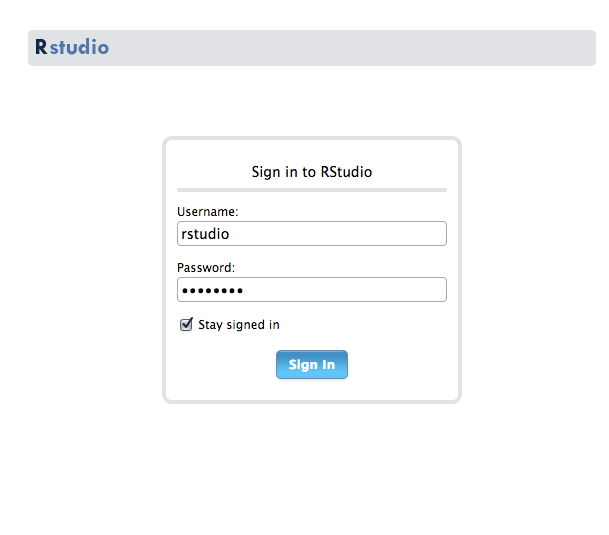
RStudio can be access through port 8787. Any user account with a password can be used in RStudio.
Let's test that RStudio is working correctly by installing a quantitative finance package from CRAN, the R package repository.
Run the following command inside RStudio to install quantmod.
install.packages("quantmod")

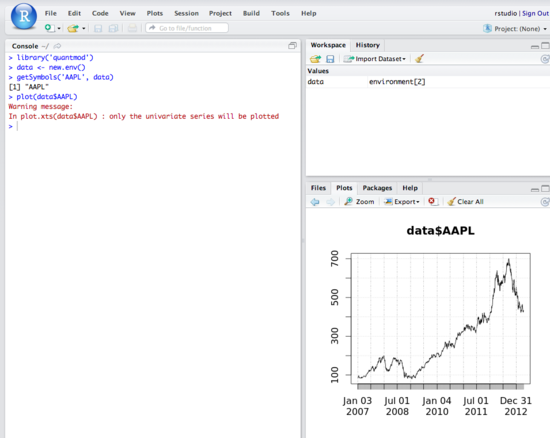
Next, let's test out RStudio's graphing capabilities by plotting the stock price of Apple. The graph will appear in the bottom right panel of RStudio.
library('quantmod')
data <- new.env()
getSymbols('AAPL', data)
plot(data$AAPL)
R is a really powerful tool and there are hundreds of useful packages available from CRAN. You can learn the basics of R at Try R.
To learn how to install R packages from CRAN and GitHub and how to ensure that these packages are made available for all users on the same Droplet, check out How To Set Up R on Ubuntu 14.04.
Thanks for learning with the DigitalOcean Community. Check out our offerings for compute, storage, networking, and managed databases.
About the author

Still looking for an answer?
 This work is licensed under a Creative Commons Attribution-NonCommercial- ShareAlike 4.0 International License.
Become a contributor for community
Get paid to write technical tutorials and select a tech-focused charity to receive a matching donation.

DigitalOcean Documentation
Full documentation for every DigitalOcean product.

Resources for startups and AI-native businesses
The Wave has everything you need to know about building a business, from raising funding to marketing your product.
The developer cloud
Scale up as you grow — whether you're running one virtual machine or ten thousand.

Start building today
From GPU-powered inference and Kubernetes to managed databases and storage, get everything you need to build, scale, and deploy intelligent applications.



